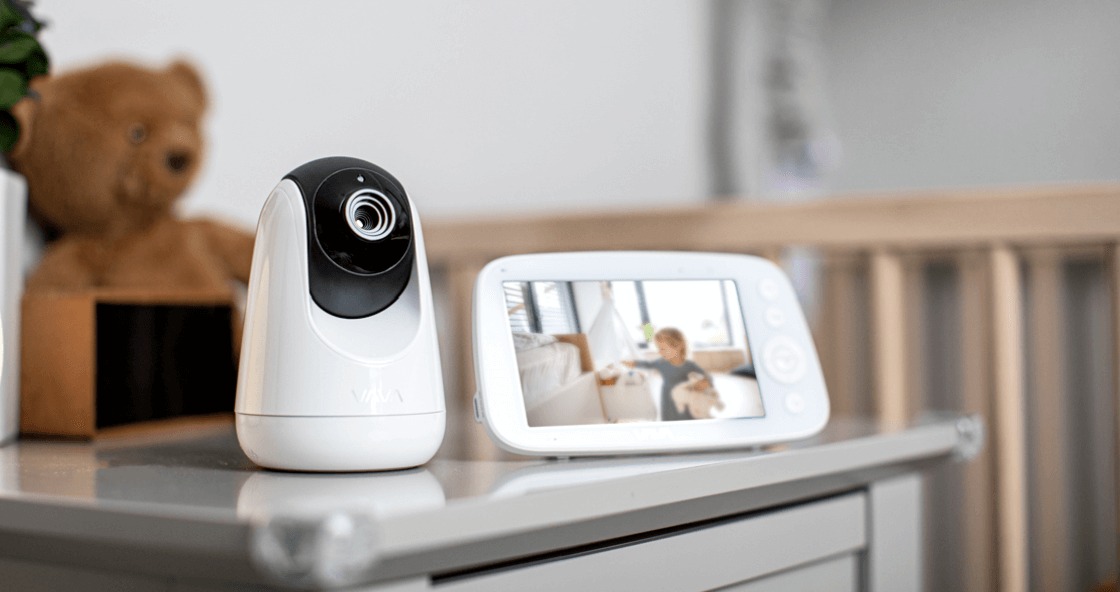
Walk through any baby gear aisle and most monitors advertise app control, cloud clips, and remote viewing from anywhere. That stack works for some families, but others want a closed loop between the nursery camera and the parent unit on the nightstand—no router dependency, no account login at 2 a.m. A dedicated non wifi baby monitor uses private radio links (FHSS, DECT, or similar) to move audio and video directly, which changes both security posture and day-to-day reliability.
This guide is for parents comparing connection types before they mount anything. It focuses on why offline systems still dominate certain homes, what you give up without Wi-Fi, and how to Match range and video quality to your floor plan—not on chasing the longest feature list.
Why Some Parents Skip Wi-Fi Entirely
Internet-connected monitors can be excellent when your network is stable and you want phone alerts from the office. They also introduce variables that have nothing to do with your baby: router reboots, ISP outages, app permissions, and firmware updates that arrive mid-nap.
Non-Wi-Fi models sidestep that layer. The camera talks to a dedicated receiver on its own frequency band. Video and audio stay inside your home unless you physically move the hardware. For privacy-conscious households—or anyone in a rural area with spotty broadband—that direct path is the main selling point, not a compromise.
How Closed-Loop Signals Actually Work
Most offline monitors use digital frequency hopping rather than old analog static. FHSS (Frequency-Hopping Spread Spectrum) and DECT both change channels rapidly, which makes casual interception harder than a fixed analog channel.
Practical benefits show up quickly:
- Lower latency — No round trip through cloud servers; cries reach the parent unit almost immediately.
- Stable during Wi-Fi drops — Your monitor keeps working when Netflix buffers or the router needs a reset.
- Simpler handoffs — Grandparents or sitters grab the parent unit; no app install or password sharing required.
Trade-off: you cannot check the feed from a coffee shop unless you buy a separate Wi-Fi model for travel. That limitation is intentional for many buyers.
Security and Privacy Without the Cloud
Headlines about hacked nursery cameras usually involve internet-exposed feeds or weak default passwords on cloud accounts. A monitor that never joins your home network removes an entire attack surface.
That does not mean zero risk—physical access to the parent unit still matters—but footage is not uploaded to third-party servers by default. Pair that with digital encryption on the radio link and you get a setup closer to a baby monitor than a general smart camera repurposed for the crib.
If your threat model includes shared guest Wi-Fi, rental properties, or simply not wanting video on someone else’s cloud, offline hardware deserves a serious look before you default to app-first products.
Reliability: Range, Walls, and Interference
Non-Wi-Fi monitors advertise ranges from a few hundred feet to roughly 1,000 feet in open air. Real homes cut that number. Thick walls, metal ductwork, and microwave ovens on the same floor can introduce static or dropouts.
Before you commit, walk the house with the parent unit while the camera runs in the nursery. Note dead zones where you actually sit at night—the hallway chair, living room couch, or kitchen counter. Range claims on packaging assume ideal conditions; your layout is the test that counts.
Digital offline systems generally handle interference better than legacy analog units, but placement still matters. Elevate the camera above crib height, angle downward for full mattress coverage, and keep the parent unit charged if it is portable.
Features You Keep—and Features You Lose
Going offline does not mean going basic. Many non-Wi-Fi monitors still offer:
- HD or 1080p video with infrared night vision
- Two-way talk on the parent unit
- Temperature and humidity readouts
- Pan, tilt, or zoom on select models
- Multi-camera expansion for split nurseries
What you typically lose:
- Remote viewing when away from home
- Push notifications on your phone (alerts stay on the parent unit or its base)
- Cloud clip storage and AI event summaries
- Integration with broader smart-home routines
Decide which column matters more for your routine. Parents who rarely leave the house during naps may not miss phone alerts; parents who travel for work often need Wi-Fi or a hybrid approach.
Cost, Battery, and Long-Term Ownership
Offline monitors often cost less upfront because they skip subscription tiers for cloud storage. Parent units with rechargeable batteries also tend to last longer between charges when they are not maintaining constant Wi-Fi handshakes.
Factor in replacement parts: if the parent unit walks off to another room and never returns, some brands sell standalone receivers; others require a full kit repurchase. Check spare-part availability before you mount cameras permanently.
A Practical Pre-Purchase Checklist
- Confirm digital FHSS or DECT rather than open analog if privacy is a priority.
- Run a range walk test on your actual floor plan, not just the nursery doorway.
- Compare night-vision clarity at arm’s length in a dim room.
- Verify multi-camera support if you plan to add a playroom later.
- Review cord routing for safe sleep distance from the crib.
- Decide whether phone access is a nice-to-have or a daily requirement.
Where Market Trends Meet Everyday Choices
Industry coverage of the baby monitor category often frames growth around smart features, app ecosystems, and connected nursery bundles. Underneath that narrative, a steady segment of buyers still prioritizes offline reliability—especially where broadband is uneven or where parents want fewer internet touchpoints around sleep spaces.
For a broader look at how that split is playing out—privacy-first offline models versus Wi-Fi innovation, key product categories, and what shoppers trade at each tier—this overview of growth and innovation in the baby monitor market maps the landscape from a market-wide angle. Use it as context, then validate everything against your home layout and who will operate the monitor on ordinary nights.
Bottom Line
A non-Wi-Fi baby monitor is not outdated tech hiding from progress. It is a deliberate choice for direct signals, simpler handoffs, and fewer cloud dependencies. Match range and video quality to your home, accept the limits on remote viewing, and you get a setup that stays quiet and dependable when the internet does not.
Take one week to test interference spots, battery rhythm, and whether anyone besides you will use the parent unit. Those small checks prevent the slow regret of discovering range gaps after return windows close.